Lately I had some problem of MySQL installation when developing MySQL related applications.
I can't get into MySQL Administrator to configure MySQL system because I installed MySQL several months ago and I forgot the password of root.
Error no. 1045 occurred when I uninstalled my old MySQL system and re-install a new version.
Here is my way to resolve 1045 error to share with all MySQL Developer.

OS Version: WinXP, Win7
MySQL Version: 5.5.10
My ways to resolve 1045:
1. Manually clear leftover.
2. Use Revo Uninstaller.
- Manually clear leftover.
- First, uninstall MySQL from control panel and reboot.
- Open command window in Program list, or input "cmd" in Run from Start on left-bottom corner.
- Type sc delete mysql to remove leftover MySQL Service. (If your service is different, please right click on My Computer, select Manage -> Service to look up your service name.)

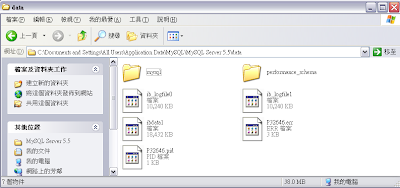
- Go to this path: C:\Documents and Settings\All Users\Application Data\MySQL\MySQL Server 5.5 to delete MySQL Server 5.5 folder
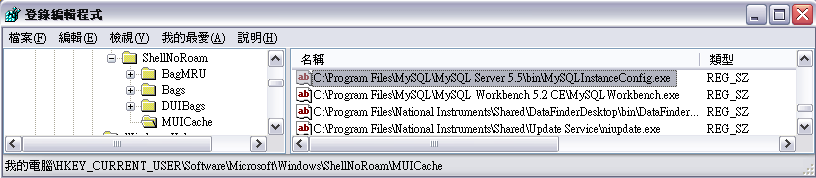
- Open registry editor (Run -> type "regedit"), and delete the following 2 keys.
HKEY_LOCAL_MACHINE\SOFTWARE\Microsoft\Windows\CurrentVersion\Installer\Folders\C:\Program Files\MySQL\MySQL Server 5.5\
HKEY_CURRENT_USER\Software\Microsoft\Windows\ShellNoRoam\MUICache\C:\Program
Files\MySQL\MySQL Server 5.5\bin\MySQLInstanceConfig.exe
- Then MySQL can be installed to windows system successfully.

- Use Revo Uninstaller:
Use Revo Uninstaller to uninstall MySQL and remove related registry and files.
You can download Revo Uninstaller here.
http://www.revouninstaller.com/revo_uninstaller_free_download.html
- Install Revo Uninstaller, and then launch it.
Click on MySQL Server 5.5 to run uninstall.

- Click Next to launch MySQL Uninstaller after safety check.

Click Next

- MySQL Uninstallation finished.

- Run step.4, click Next to analyze system by Revo Uninstaller.

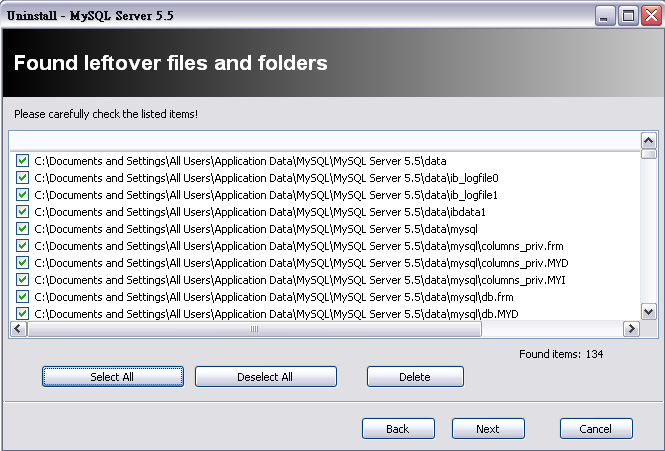
- Click Select All -> Delete to remove leftover keys in registry.

- Click Select All -> Delete to remove leftover files.

- Reboot system is required to clean leftover files according to Revo Uninstaller's instruction. Before rebooting, we have to remove the service first.

- Open command window in Program list, or input "cmd" in Run from Start on left-bottom corner.
- Type sc delete mysql
to remove leftover MySQL Service, then Reboot. (If your service is different, please
right click on My Computer, select Manage -> Service to look up your
service name.)
- MySQL can be installed successfully after rebooting.